Revit vs AutoCAD comes down to the job: Revit models the building, and AutoCAD draws the geometry you place. Picture a consultant's DWG backgrounds arriving on Monday, with the planning drawings due on Friday. Before anyone opens a file, the team has to decide whether this job lives in a model or in a set of drawings.
Many studios never settle on just one of the two, so the useful question is which tool each job needs. This guide maps a studio's jobs to each tool, then covers file handoff, US list prices and what the LT tiers leave out.
Key takeaways
- Revit builds one model and derives plans, sections, schedules and sheets from it. AutoCAD draws the geometry you place, and works in 2D and 3D DWG files.
- Keep surveys, early options, details and consultant backgrounds in 2D. Move coordinated, multi-consultant documentation and schedules into Revit.
- Revit can link a DWG as a starting point and export views and sheets back to DWG or DXF for consultants.
- Of the five Autodesk options here, AutoCAD LT has the lowest annual US list price and Revit the highest (read 23 October 2026).
- Revit LT keeps BIM in a single-user workflow. AutoCAD LT covers 2D drafting without 3D or the seven toolsets.
Revit vs AutoCAD at a glance
Revit holds the building as one model, and AutoCAD holds it as drawings. Autodesk's Revit vs AutoCAD page calls AutoCAD "a general drawing tool with broad applications" and Revit "a design and documentation solution". Every other difference follows from that split.
The Revit column draws on that page, the Revit overview and the Revit buy page. The AutoCAD column reflects studio practice, except the last two rows, which come from the AutoCAD buy page.
| Question | Revit | AutoCAD |
|---|---|---|
| What you work on | One building model with walls, doors and windows as elements | Lines, blocks and objects you place in 2D or 3D |
| Where drawings come from | Plans, sections, schedules and sheets come from the model | Drawings share geometry through xrefs, or each sheet carries its own |
| How a change spreads | Updates across all views and documentation | Reaches other sheets through xrefs, or is redrafted on each one |
| Team working | Worksharing in a centrally shared model | Shared DWG files and xrefs |
| Architectural objects | Built into the product | Architecture toolset, with AutoCAD for Windows |
| Runs on | Windows | Windows and macOS |
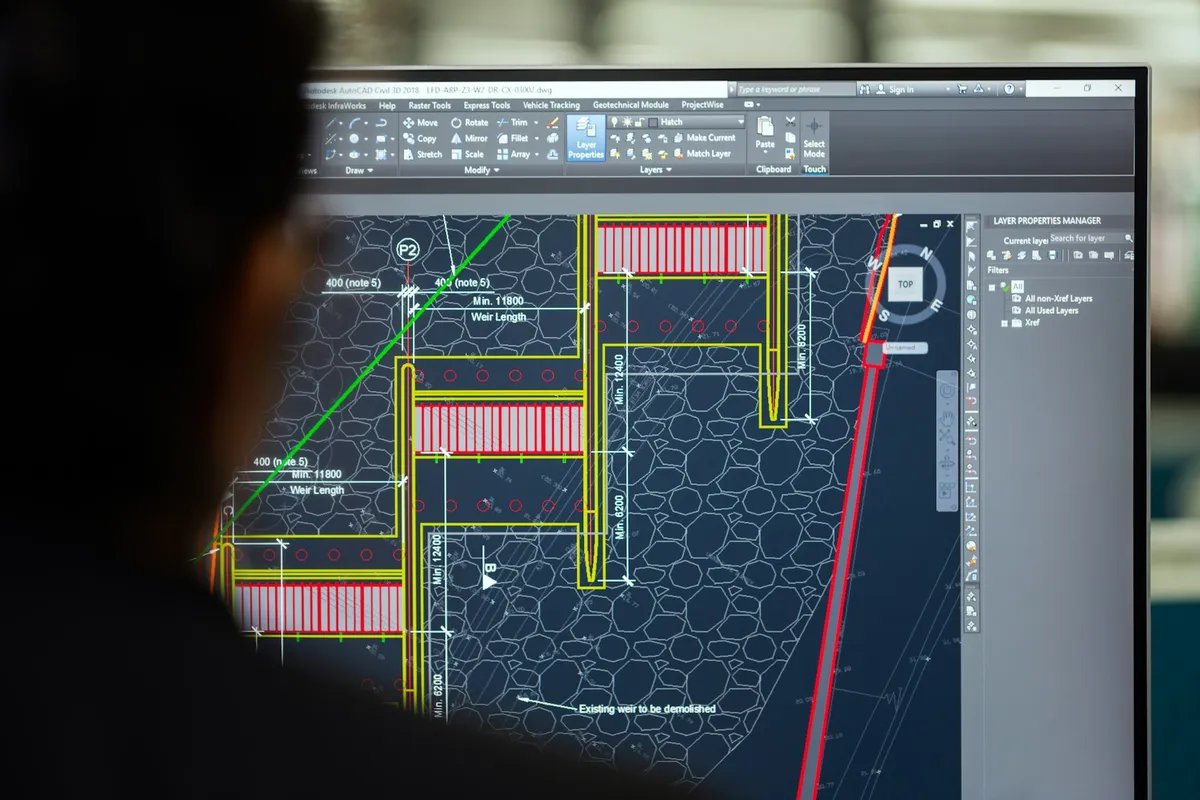
Read the table as two ways of holding a design. In Revit, a plan is a view of the model. In AutoCAD, the drawing itself is the record, and a change reaches other sheets through xrefs or is redrafted on each one.
What Revit adds: one model behind every drawing
Revit adds a model behind every drawing: you place building elements once, and plans, schedules and sheets read from them. Walls, doors and windows go in as elements with parameters, as the Revit overview describes. You add drawings and schedules to project sheets, customise title blocks and manage revisions.
Change is where the model pays back. Autodesk's comparison FAQ describes "a model-based design approach where changes are automatically updated across all views and documentation." Move a wall on a modelled job, and the plans, sections and room schedule follow it.
Revit also lets a team work in one model. The overview lists worksharing, where people save, sync, review and update work in a centrally shared model. Weigh that feature when two or three people need the same building at the same time.
AutoCAD can place walls, doors and windows as well, through the Architecture toolset covered in the next section. The difference lies in the shared model behind those objects, not in the objects themselves.
Revit runs on Microsoft Windows. A studio on Macs needs Windows machines for any job that goes into Revit.

What AutoCAD covers: drawings, DWG and the toolsets
AutoCAD covers precise 2D and 3D drafting, and its projects sit in what the AutoCAD overview calls "AutoCAD 2D and 3D DWG files".
The AutoCAD buy page also describes design and modelling with solids, surfaces and mesh objects, plus documentation features. AutoCAD runs on Windows and macOS.
For architects, the toolsets matter more. AutoCAD comes with seven industry-specific toolsets, and the buy page ties them to AutoCAD for Windows. Architecture is one of the seven.
The Architecture toolset page says the toolset can automatically generate floor plans, elevations, sections and ceiling grids. The page also lists walls, doors and windows with over 8,800 architectural components, including multi-level blocks.
That changes the answer for studios that want architectural objects without a model. Such a studio can stay in AutoCAD on Windows and still draw with walls and openings.
Old paper drawings have a toolset too. The AutoCAD overview lists Raster Design, which edits scanned drawings and converts raster images to DWG objects. That is AutoCAD's own route from a scan to drawing geometry you can work on.
Which tool for which studio job
Put each job where its output lives: drawings that stay 2D go in AutoCAD, and coordinated work goes in Revit. The table maps the jobs an independent studio runs most weeks.
| Job | Usual tool | Why |
|---|---|---|
| Measured survey and existing drawings | AutoCAD or AutoCAD LT | Survey drawings usually arrive as DWG, and the record stays 2D |
| Early layout options | AutoCAD LT or another 2D tool | Options change daily, and a model is setup work for each one |
| Planning application plans | Either, set by the size of the job | An extension often stays in 2D, a larger scheme benefits from the model |
| Coordinated documentation with consultants | Revit | Structural and services input meets in one shared model |
| Construction details | AutoCAD or AutoCAD LT | Details are drawn geometry, often reused from the studio library |
| Consultant DWG backgrounds and markups | AutoCAD, or linked into Revit on modelled jobs | Consultants send DWG, and markups go back the same way |
| Schedules | Revit | Counts and areas are read from the model's elements |
Surveys and existing drawings
A measured survey is a record of what exists, so keep it as drawings. Open the surveyor's DWG in AutoCAD, tidy the layers and save it as the base every option references. If the job later moves into Revit, link that base instead of redrawing it.
When the only record is a PDF or scan of an old plan, Synaps traces it into editable walls and openings.
Early options and planning drawings
Early layouts change too often to repay a model. Draw options in 2D, compare room areas with the brief, and build the model once one option holds. The guide to the schematic design stage covers how far to develop those options before you commit.
In Synaps you draft options with typed wall lengths and thicknesses, and each closed wall loop you click becomes a room with a live area.
Planning drawings sit between the two. A rear extension often stays in AutoCAD from survey to approval. A new block of flats with consultants already appointed usually justifies the model from the planning stage. For a client or planning meeting, a Synaps paper takes an ISO sheet size and a scale such as 1:100, and exports as PDF.
Coordinated documentation and schedules
Coordinated documentation with structural and services engineers is where Revit earns its licence. Each consultant change touches plans, sections and schedules at once.
Schedules belong with that model. On these jobs, keep door, window and room schedules in Revit rather than in a separate spreadsheet.
Details and consultant backgrounds
Details are drawn geometry, and many studios keep a detail library as DWG. Draw new details where the library lives, and keep one format so the next job can reuse them.
Consultant backgrounds and markups arrive as DWG on almost every job. Link them into Revit on a modelled job, as the next section shows. On a drawing job, reference them in AutoCAD and put your markups on their own layer.
Moving work between Revit and AutoCAD
Revit takes DWG in by linking or importing it, and sends views and sheets out as DWG or DXF. Each direction has a step worth knowing before the consultant's files arrive.
The Revit help on importing or linking CAD files says you can bring existing CAD designs into a Revit model as a starting point. In most cases, linking is preferred over importing. Linked CAD files update when reloaded, so link any file you expect to change.
Revit's import page lists DWG and DXF among its CAD formats, along with DGN, SAT, OBJ, 3DM, STEP, SKP, STL and AXM. Link the consultant's background once, then reload the link when they issue a revision. The background in your views updates, and nobody redraws it.
Going the other way, Revit exports one or more views and sheets to DWG or DXF. Under Files of type, you select the AutoCAD version for the exported file.
When a Revit view goes out as DWG or DXF, rooms and areas can export as closed polylines. Consultants who measure areas in AutoCAD then get closed shapes, not loose lines.
Ask each consultant which AutoCAD version they open before you export. Send a PDF of the same sheets with every DWG, so the intent stays readable if a layer goes astray.
Some consultants and tools ask for DXF instead. The guide to the differences between DWG and DXF covers when each one fits. Synaps imports DXF, so a consultant's DWG goes in once it has been saved as DXF from the CAD tool that made it.
What Revit and AutoCAD cost in 2026
The chart shows annual US list prices for one user, read 23 October 2026. They come from the buy pages for Revit, AutoCAD, AutoCAD LT and Revit LT and the suite.
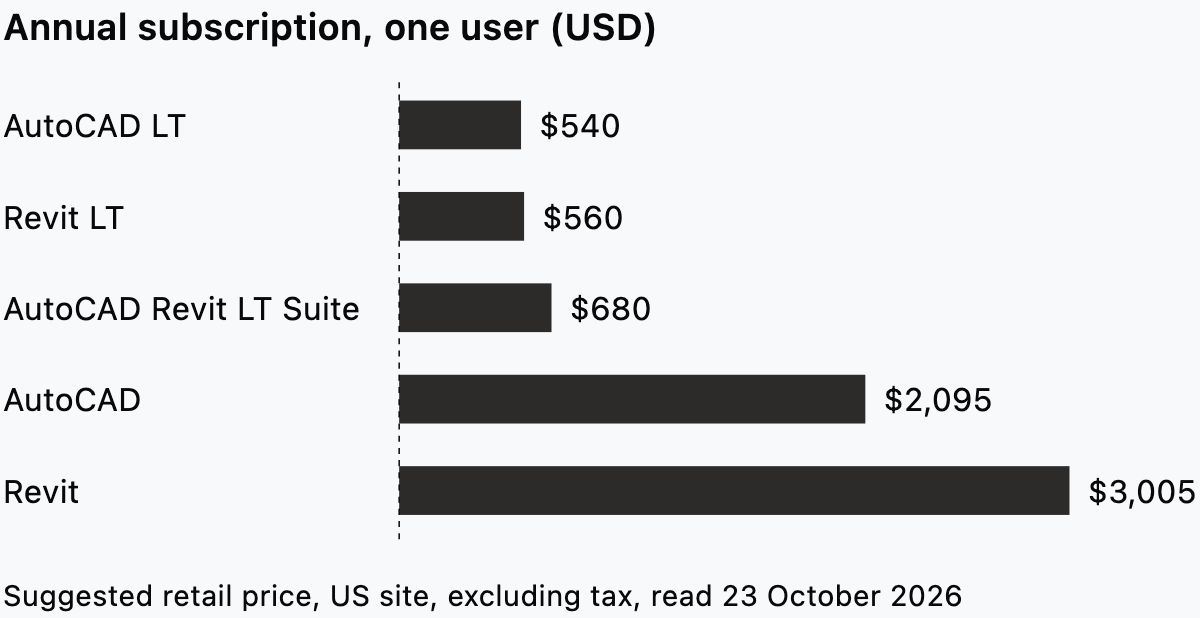
Monthly terms cost more over a year. Monthly US list prices for one user, read 23 October 2026, are $380 for Revit and $260 for AutoCAD. On the same terms, AutoCAD LT and Revit LT cost $70 a month each, and the suite costs $85.
These are suggested retail prices, excluding freight, handling and taxes, according to the AutoCAD buy page FAQ. All Autodesk pricing is subject to change without notice. Look up your own regional site before you set a budget.
Budget seats against the jobs each person runs. Two Revit seats and four AutoCAD LT seats come to $8,170 a year at these US list prices. Swapping the four LT seats for full AutoCAD adds $6,220.
Revit LT, AutoCAD LT or the suite
Each LT tier keeps the core of its product and leaves out named features. The choice turns on whether you need 3D, the toolsets or a shared model.
The AutoCAD LT buy page describes LT as 2D drafting and documentation, while AutoCAD also provides 3D functionalities. AutoCAD LT does not include third party connections, development tools or the seven specialised toolsets. So the Architecture toolset and Raster Design both need full AutoCAD on Windows.
The Revit LT buy page says Revit LT models buildings and produces coordinated drawings using BIM in a single-user workflow. Full Revit adds advanced simulation and analysis, worksharing and collaboration, and MEP and construction modelling toolsets.
Single-user is the line a studio feels first. When two people need the same model at the same time, that job needs full Revit.
Autodesk's comparison page describes the AutoCAD Revit LT Suite as AutoCAD LT's drafting combined with Revit LT's simplified BIM capabilities in one package. The suite's US list price is $680 a year for one user, read 23 October 2026. Bought separately, the two LT products come to $1,100.
Give the suite to people who draft and model on their own jobs. Give full Revit to anyone who works in a shared model with colleagues, and full AutoCAD to anyone who needs the toolsets.
Where Synaps fits: the plan before the model
Synaps publishes this article. The comparison above is research only, from Autodesk's pages read on 23 October 2026, and we did not test either product hands-on.
Synaps is browser-based architectural design and drafting software for the early plan, before a job needs a model. Take the job from the opening. An existing plan needs bringing in, and a few layout options need settling before the team picks a tool.
- Bring the existing plan in. Trace a PDF or image of it into editable walls, openings and rooms, or import a consultant's DXF.
- Draw new walls with a typed length and thickness, and place doors and windows on them.
- With no existing drawing, describe the space and generate one editable floor plan with AI, inside a boundary you draw if you want one.
- Click inside each closed wall loop to make a room. The room keeps a live area and reshapes when its walls move.
- Create a paper at an ISO sheet size and a scale such as 1:100, then add dimensions and annotations.
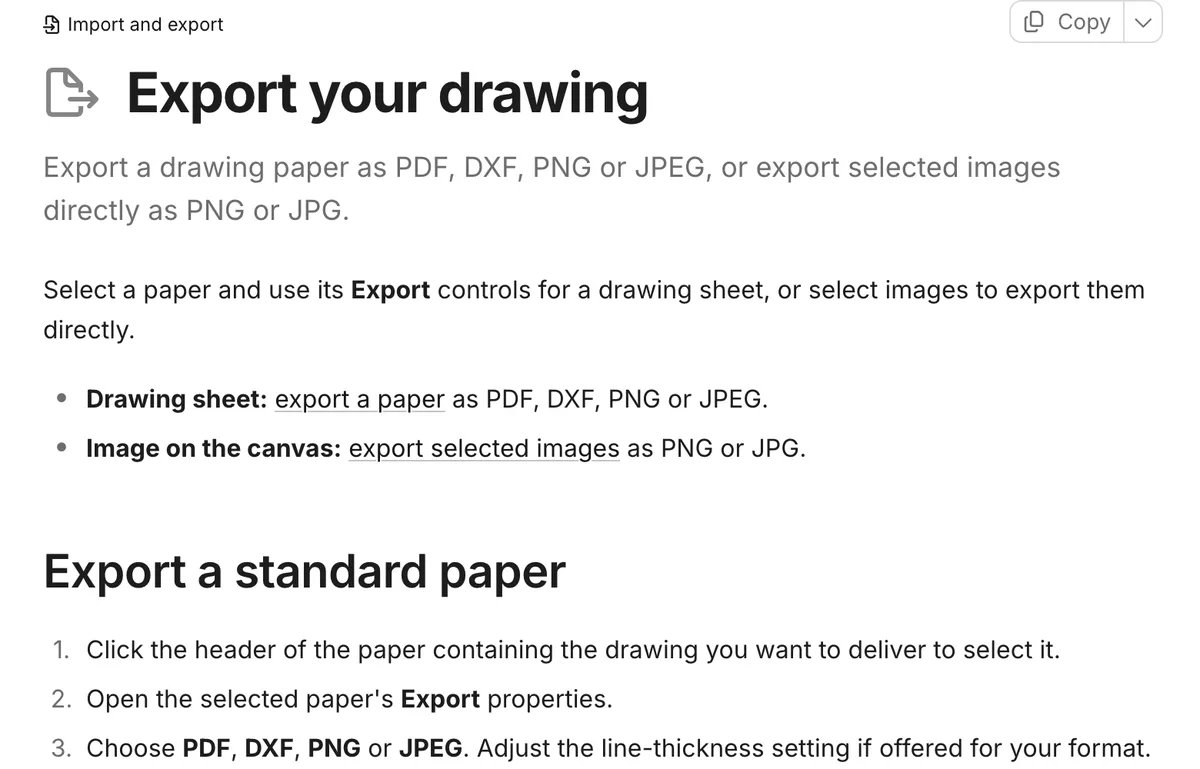
- Export the paper as PDF for the client or planning meeting, or as DXF for whoever carries the plan into AutoCAD or Revit.
Synaps does not author a BIM model, and it is not a substitute for Revit or AutoCAD in coordinated documentation. CAD files come in and go out as DXF.
If your next job starts from an old PDF plan, trace it in Synaps and settle the layout. Then hand a DXF to whoever carries it on.
Frequently asked questions
Should a new architect learn AutoCAD or Revit first?
Learn the tool your studio's live jobs run in, and learn 2D drafting either way, because consultant DWGs keep arriving. Moving from AutoCAD to Revit takes real adjustment. Autodesk's FAQ says users must adapt to new terminology and a new user interface. Learn drawing conventions early, since every view Revit produces still has to read as a drawing.
Can Revit replace AutoCAD in a studio?
Autodesk's own FAQ says Revit cannot fully replace AutoCAD, because the tools serve different but complementary purposes. Even a studio that models every job receives survey and consultant files as DWG. Keep at least one AutoCAD LT seat for opening and marking up DWGs that never need to enter the model.